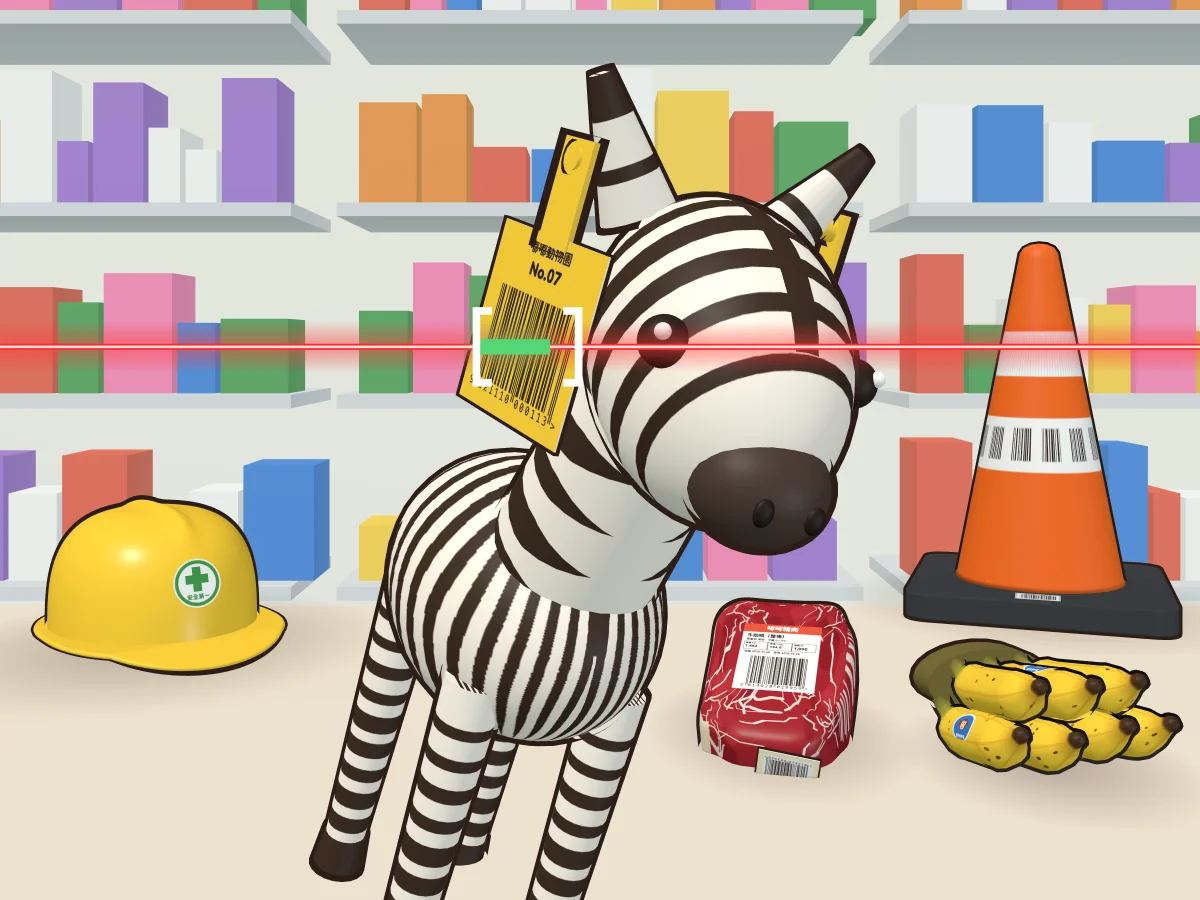
How to play
Each round lasts 60 seconds. Scan as many items as you can. Every item customers put on the counter is weirder than the last, and the barcode is usually not on the side facing you, so you'll have to turn it around and find it.
Your finger turns the item. Drag with one finger to flip it over and look for the barcode. Twist with two fingers to spin it in place and turn a sideways barcode upright (on a computer, right-drag or Shift+drag). Items have weight: heavy ones follow your finger more slowly, and everything keeps swinging a little after you let go.
Your phone is the scanner. Tilt it more upright and the red line moves up; lay it flatter and the line moves down. The angle you're holding it at when the countdown ends is the middle, so if you change how you're holding it, press Recenter. If the line doesn't follow your phone, drag the track on the right side of the screen instead (the scroll wheel on a computer).
The red line has to cross the whole barcode and stay on it for 0.5 seconds to beep. The part of the line on the barcode turns green from left to right, and when it's full, beep! The next item comes right up. Slip off for a split second and come right back, and you keep your progress.
Scan the wrong barcode and you get a "Bzzt!" and can't scan for 1 second, but nothing comes off your count. If you really can't find the code, press Skip: the item goes back, the next one comes up 1.5 seconds later, and the skipped one is crossed off on the receipt.
Scanning doesn't add time. When the 60 seconds are up, the receipt prints: what you scanned, how many seconds each one took and the total. The number of items decides today's job title.
When it won't scan
A line of small text under the red line tells you why it won't read. You only get it for the first 3 items of each round. After that, you're on your own.
- Cross the whole barcodeThe red line has to run from the blank margin on the left of the barcode all the way to the blank margin on the right. Covering only part of it doesn't count.
- Bars are sideways. Turn 90°Twist with two fingers (on a computer, right-drag or Shift+drag) to turn the bars upright.
- Barcode is too angledThe barcode needs to face you. Turn the item so it's less angled.
- Barcode is facing awayThe barcode is facing away from you. Flip the item over.
- Covered by a stickerA barcode covered by a sticker won't scan. The same item may have another one somewhere else.
- Something's in the wayAn ear, a lid or a clip is in the way. Try another angle.
- Glare! Angle it a littleShiny things like aluminum cans reflect the laser when they face it head-on. Angle it a little.
- Red laser can't see red barsA red laser can't see red bars. Don't bother with this one. Find another code.
- Hand-drawn. Can't read itA code drawn in pen doesn't count. The real barcode is somewhere else.
Trick barcodes
Not everything that looks like a barcode is the one you ring up.
- Not the checkout codeStock codes on the back, serial numbers, lot numbers and asset tags all scan, but you get a "Bzzt!" and a 1-second wait. The checkout code is usually printed near the product name and price.
- Packs inside a bagEvery little pack inside a clear outer bag has its own barcode. The checkout code is on the outer bag.
- Codes a laser can't readRed bars, barcodes drawn in pen and QR codes: a red laser can't read any of them.
- Under a stickerA barcode covered by a sale sticker won't scan. There may be another one somewhere else on the pack.
- Shiny glareA shiny aluminum can facing the laser head-on reflects it. Just angle it a little.
- Just a patternStriped socks, zebra stripes, reflective tape and the marks on a ruler look a lot like barcodes, but nothing at all happens when the red line passes over them.